Raspberry Pi Kubernetes Cluster: SSH into the Nodes (Issue #3)
Find your Raspberry Pi nodes on the network with nmap and connect over SSH, both by password and with RSA keys.
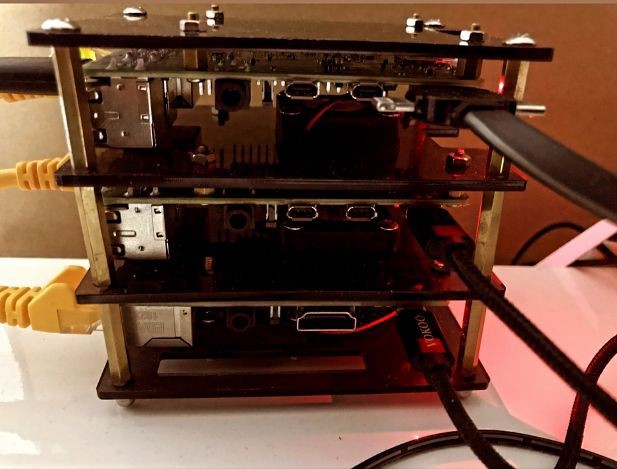
Welcome to the Raspberry Pi Kubernetes home lab series. A bite sized informative guide to help you provision a cluster from scratch. By now you should have 3+ nodes running the latest version of Ubuntu. Refer to the previous guide if you would like to know more.
This issue walks you through communicating with your Raspberry Pi nodes through SSH.
Requirements
- A Raspberry Pi node with the latest version of Ubuntu, connected to either your home router or an Ethernet switch
- SSH should be enabled on the node
Install Nmap
brew install nmapNmap ("Network Mapper") is an open source tool for network exploration and security auditing, designed to rapidly scan networks.
Find the device's IP address
# Find the router's IP
netstat -nr | grep default

# Inspect nodes on your local network
nmap -sP 192.168.0.1/24
From the snippet above, the nodes are on 192.168.0.[24-26].
SSH into nodes manually
# ssh into device, password is usually "ubuntu"
ssh ubuntu@192.168.0.26
SSH into nodes with private keys
ssh-keygen -t rsa -b 4096Add the SSH key to the node:
ssh-copy-id -i ~/.ssh/ansible ubuntu@192.168.0.26SSH with the RSA key:
ssh -i ~/.ssh/ansible ubuntu@192.168.0.26Conclusion
You are now ready to start your Kubernetes setup. It is important that you know how to access the nodes independently and that you can reach them both via SSH keys and as a root user.
Leave a comment if you have any questions. The next step will be installing dependencies on the nodes. Happy coding.
First published in my LinkedIn newsletter, Built from Scratch.
Questions about the build, or building something similar? Say hello. I read every message.